Genesys cloud web messaging hero

Genesys Cloud Web Messaging

Go beyond live chat and continue the conversation 24/7 with our native asynchronous chat solution

Engage and convert prospects with web messaging

Say goodbye to lost conversations

Answer questions and provide product information at the right moment — any time — with web messaging.

Hear customer concerns the first time

Seamlessly transition from a chatbot to an agent while retaining full context and visibility.

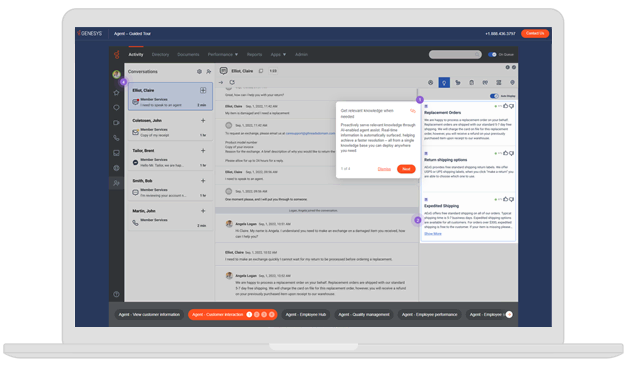
Give your agents one tool that does it all

Share files, start a co-browse session or escalate to a phone call with just one click through our unified desktop.

Connect with customers on a channel they love — day or night

No downloads, no delays

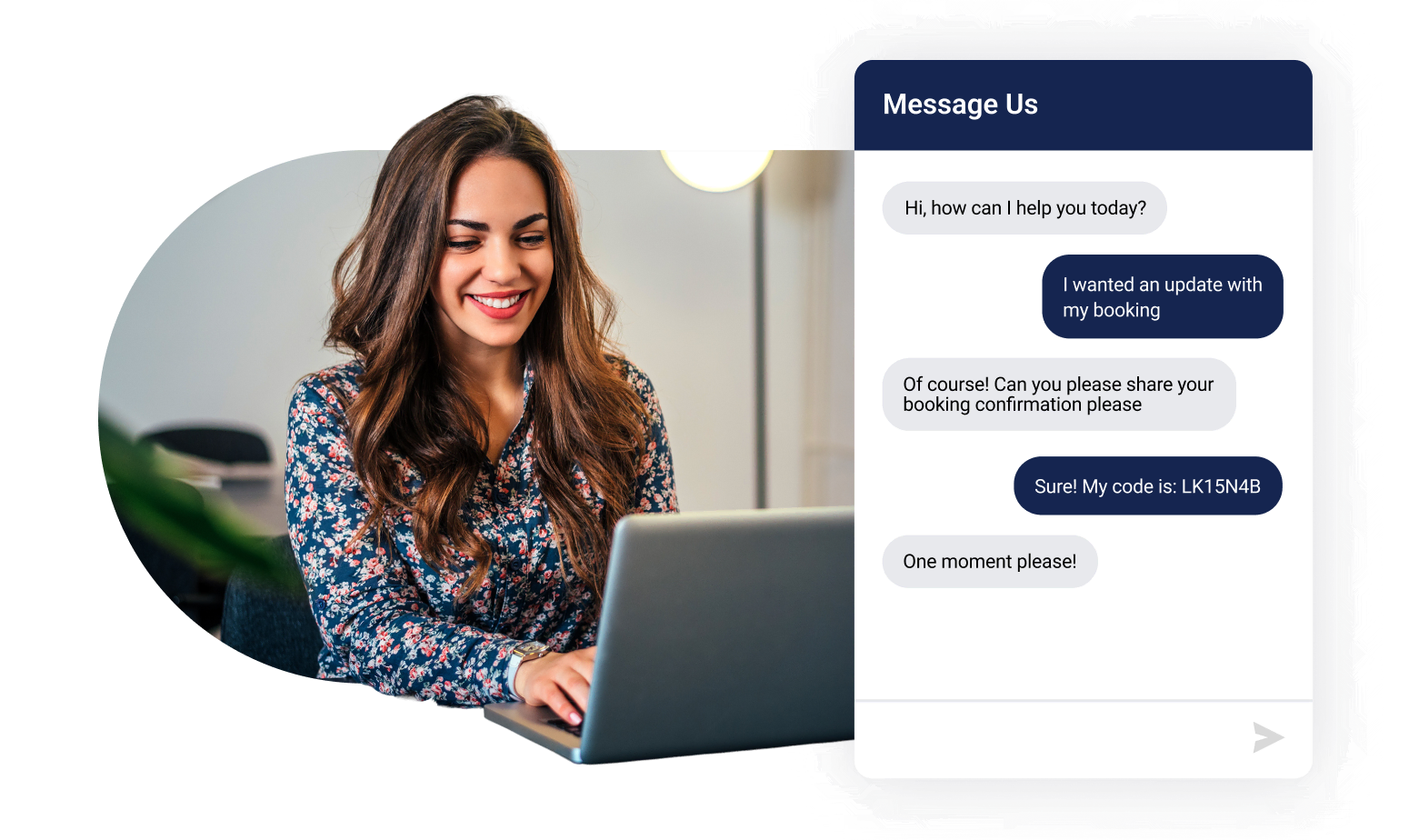
Pause and pick up conversations

Engage 24/7 across channels. Persistent, asynchronous messaging lets customers continue the conversation when they want without having to repeat themselves.

Interact smarter with built-in AI

Serve website visitors more efficiently. Enhance your web chat with bots and Agent Copilot with our easy-to-tailor conversation flows and proprietary knowledge base.

Trust in security and scalability

Designed for enterprise-grade security, Genesys uses Hypertext Transfer Protocol Secure (HTTPS) and Transport Layer Security (TLS) to secure and support encrypted conversations.

Set up easily

Configure and deploy a live chat widget in minutes. Make visual- and feature-based updates using no-code/low-code implementation — without the need for IT support.

Customize fully

Give administrators the power to quickly build and customize business flow logic and integrate third-party applications.

Connect conversations anywhere

Deliver seamless support that can span across web and mobile apps, keeping customers engaged and in context — no matter where they start the journey.

Cultivate happier customers and employees with Genesys Cloud Web Messaging

Customers visit your site with a goal, but sometimes they need a hand. Web messaging not only boosts satisfaction but helps convert more prospects. It’s easy to deploy, manage and scale, giving service teams greater efficiency and the power to multitask across messaging sessions.

Make agents your customers’ heroes

Empower agents with the tools, context and flexibility to resolve issues faster and deliver standout service.

Omnichannel agent interface

Meet your customers where they are. From web messaging and social media to SMS, agents can engage from a single, unified view of the customer.

Confident, real-time customer engagement

Unlike live chat solutions, web messaging gives your agents a real-time view of the entire customer journey through tracked web and mobile interactions and conversation history.

Co-browse

Provide high-touch assistance. Let agents see customers’ screens in real time as they navigate your website. Seamlessly elevate a web messaging conversation to co-browse.

Authenticated web messaging

Know your customers. Verify users with anytime login — no matter what browser they use. This means agents can easily personalize the customer support experience for everyone.

Rich messaging experience

Make engagements more robust, intuitive and free of friction. Use quick replies, cards, carousels, emojis and file attachments to resolve engagements faster.

Proactive messaging

Deliver empathetic experiences. Power personalized messaging conversations with contextual rules like web activity, tracked interactions and chat agent availability.

Make it easy to strike up a conversation

Request a free demo today. You’ll see how our cloud contact center software makes it easy to digitally enable your brand with web messaging. Start personalizing your online experience with rich, asynchronous messaging conversations on a channel your customers prefer.

Thank you for your interest.

We’ll contact you directly to set up a date and time that works with your schedule.

Frequently asked questions

What’s the difference between website chat software and web messaging?

Web messaging, also known as asynchronous chat or asynchronous messaging, lets agents interact with customers to solve issues quickly. It uses asynchronous communication, meaning that customers can engage with your brand at any time, on any device. And if a customer pauses a conversation and resumes it later, the history remains for the customer and agent.

Synchronous live chat or web chat provides short-lived, standalone chats that require an agent to interact in real-time with the customer. It has a beginning and an end for each conversation, typically with immediate responses.

Note: Genesys Cloud Web Messaging is the name of our native 24/7 asynchronous chat solution. Although it is asynchronous, end users do have an option to clear a current conversation. To increase operational efficiency, this also disconnects any pending conversation currently in queue or handled by agents.

What communication channels are customers using most?

In the past year, more consumers worldwide used a digital channel to interact with an organization than used the voice channel. In fact, some 72% of consumers used email for a customer experience (CX) interaction, while 68% called a contact center, according to “The State of Customer Experience” report.

Chatbots and messaging apps also continue to increase in popularity for CX interactions. This is a landmark moment.

Digital is no longer on the periphery as an alternative channel to voice. It’s now critical for organizations to have a connected voice and digital strategy that empowers customers across their journey. It’s now critical for organizations to have a connected voice and digital strategy that empowers customers across their journey.

Why is native asynchronous functionality important?

Native asynchronous functionality enables you to have 24/7 web presence through a messaging app.

For example, if a customer decides to change pages or close the native Genesys Messenger window, the conversation persists. Customers can engage with an agent after the contact center is closed or self-serve through a bot, search FAQs using the Messenger Knowledge Search App, or they can schedule a callback from the next-available live agent.

Why do companies use live chat?

While companies might be looking to implement live chat software, they are actually in need of web messaging. Here’s four reasons why companies use web messaging over live chat:

  • 24/7 web presence
    If a customer decides to change pages, or close the messenger window, the conversation persists. This means you can be responsive at any time, even if the contact center is closed.
  • Easy to deploy and customize
    With an option for no-code or low-code deployment, businesses of any size can quickly implement web messaging without relying on IT teams or expensive software development resources.
  • Never miss an online opportunity
    You can engage proactively based on the customer journey.
  • Cost savings
    You’ll reduce operational costs because you won’t need as large a support team as you would to manage real-time chats. You’ll also save through more efficient use of resources.

What are the benefits of web messaging for customers?

Web messaging is convenient and accessible. Customers like being able to engage at their own pace and on their own schedules, without being tied to real-time conversations. And because web messaging is an “anywhere, anytime” solution, it’s ideal for 24/7 communication whenever it’s convenient for customers – and even across different devices, whether desktop or mobile web browsers.

In addition to other live chat tools, customers can enjoy richer, personalized and actionable conversations with brands through web messaging. Give your customers a more interactive digital experience using rich messaging and free them from the drudgery of typing long messages. And because you’ll have holistic customer profiles and customer journey data, you’ll know exactly who you’re talking to and why they’re reaching out. Customers don’t have to start their interaction from scratch every time they reach out.

What’s the difference between web messaging and mobile messaging in Genesys Cloud?

Web messaging allows you to engage customers directly through your website. Mobile messaging (in-app messaging) refers to messaging embedded directly within your mobile app (iOS or Android) using the Genesys Cloud SDK. It brings the same asynchronous, persistent experience into the mobile environment, allowing users to initiate and resume conversations seamlessly without leaving the app.

Naturally, there are differences in implementation between the two. Web messaging is deployed by adding a script to your website and configuring it via the Genesys Cloud admin UI. Mobile messaging requires SDK integration into your mobile app and may involve additional development resources for branding and customization.

Are web and mobile messaging experiences the same for agents?

Both types of messaging appear in the agent desktop as part of the unified inbox. Agents can handle web and mobile conversations using the same workflows, routing logic and interaction history.

Why would I use both web and mobile messaging from Genesys Cloud?

Offering both web and mobile messaging helps ensure coverage across digital touchpoints and caters to customer preference. Customers browsing on a desktop can engage via your website, while mobile users can connect through your app.

Furthermore, for authenticated customers, these conversations can persist across devices. For example, an authenticated customer can ask a support question on their laptop via a website and web messaging. They can later go on your mobile app and continue this same exact conversation, seeing their prior responses.

What is the difference between AI chat and live chat?

Live chat connects a customer directly to a human customer service agent in real time; AI chat connects the customer to a chatbot that can either help solve the customer’s issue or escalate to a human agent. In many — but not all — cases, AI chat can be the first step in a customer’s service journey.

AI chat and live chat work well in tandem, as parts of a cohesive end-to-end customer experience. AI chatbots are available 24/7/365 without increasing the strain on a customer service team, and automation can easily handle many of the simple and mundane questions that don’t necessarily require human brainpower. A well-programmed AI has a wide range of information available to it, and with regular upkeep and consistent work, an AI bot will learn and improve over time. Recent advances in AI also mean that today’s bots are not only smarter than ever, but more able to mimic empathy in a way that makes the customer experience more pleasant.

If a human agent does need to get involved, that transition is also easier than ever, especially with the help of AI. A customer’s journey can be analyzed and described to an agent, so that they have the best possible idea of how best to help. All the information the agent needs, from the customer’s purchase history to likely next steps based on similar past interactions, can be pulled from locations like your CRM system and is put at their fingertips. And AI analytics helps to build a better picture of your customer.

Live chat and AI chat, therefore, can both be important parts of a comprehensive, well-orchestrated end-to-end customer experience.


How can messaging be used to make the customer experience more engaging?

Rich messaging is a great way to personalize and improve engagements.

Instead of having to type long messages, you can send and receive multiple types of media content to make your customer and agent experiences richer, more intuitive and free of friction. With web messaging, they’ll be able to use quick replies, cards, carousels, emojis and file attachments.

Whether it’s a conversation with a human agent or a chatbot, it’s important that the customer feels that it’s more than a script they’re engaging with. Messaging is often the first line of customer service — the more pleasant the experience, the more likely it is that the customer will walk away happy, whether the issue needs to be escalated or not.

What’s the best way to personalize web engagements?

Today’s customer expects a personalized experience from end to end, without having to repeat the same questions and personal information throughout their journey. With holistic customer profiles and customer journey information, your agents will know exactly who they’re talking to and why. That same information can help agents know when it’s best to engage proactively.

By using our natively integrated Genesys Cloud Co-browse capability, agents can also gain a better understanding of customers’ needs by elevating the existing web messaging conversation to co-browse seamlessly – and still part of the original interaction. Agents will guide them through the most complex transactions – boosting the customer experience and improving conversion rates.

What’s the difference between co-browse and screen sharing?

Both co-browsing and screen-sharing technology allow remote parties to view the same screen. In the case of a contact center, those parties would be the customer and the service agent. But co-browsing offers a number of additional key features that screen-share lacks. Screen-share technology is what it claims to be — it simply allows a remote user to see your screen.

In addition to viewing the same screen, though, co-browse provides a more immersive and collaborative experience. Co-browsing allows the agent to use tools ranging from drawing and annotation to taking over control of the screen. All of this means the customer service agent can resolve customer issues more quickly, while reducing frustration and building customer satisfaction.

Are push notifications supported for async chat?

Yes, Genesys Cloud supports mobile push notifications as a key component of asynchronous web messaging. They help maintain engagement by notifying users of new messages even when they’re offline or have left the app. As a result, this helps ensure important updates aren’t missed and encourages timely re-engagement.